
Discover with context
Review county and property information, then bring selected opportunities into your working list. Check the source status before treating a listing as ready for a bid.
Tax lien software
Updated · Accrella product team
Bring county research, bid decisions and the supporting record into one workspace. Accrella helps tax-certificate teams move from a candidate list to a reviewed plan with the evidence still attached.
Tax lien software helps investors organize auction research, property diligence, bid preparation and certificate records. Accrella connects discovery with strategy approval and matter-level evidence so a team can inspect the work behind its decisions.
Review county and property information, then bring selected opportunities into your working list. Check the source status before treating a listing as ready for a bid.
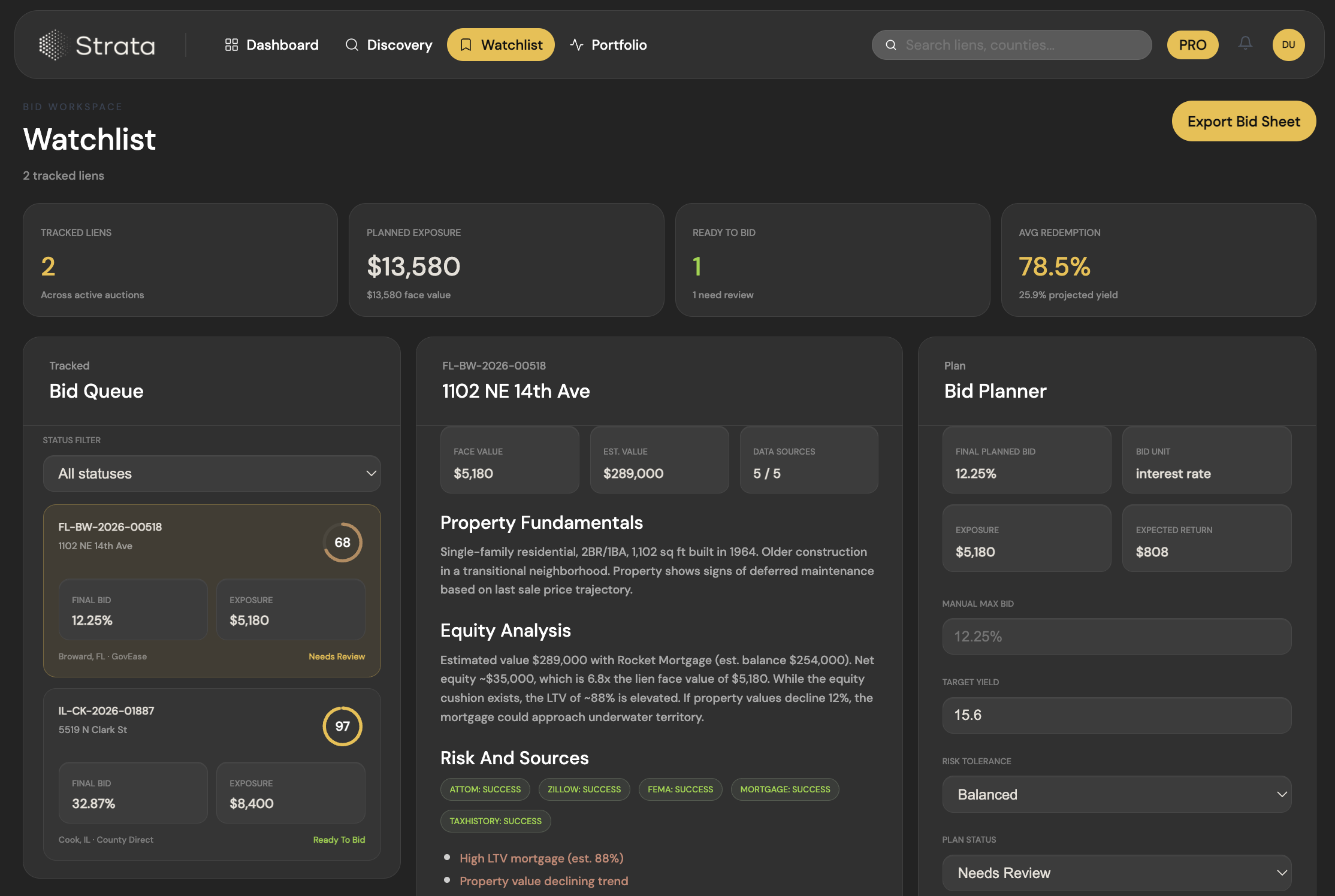
Review diligence and approve each bid strategy. The county CSV export is blocked when a selected matter lacks the required diligence or still needs strategy approval.
Retain acquisition evidence with the matter so the team can inspect the facts behind a decision as the position progresses.
01
Use this walkthrough to evaluate the actual handoff between research and action.
Check the jurisdiction, auction type, official source and collection status. A supported county identifier does not establish that an upcoming sale list is available.
Inspect source-backed diligence and open questions before approving a strategy. A score is a review input; it does not establish clean title, a safe investment or a guaranteed return.
Preview the county sheet, resolve missing diligence and approve the remaining strategies. Then export the working CSV and check the receiving auction platform requirements.
02
Evaluate the software with one county and a small group of candidate records before expanding your workflow.
Start with the county and property information available to your workspace. Inspect source freshness and gaps instead of treating a national map as a current-inventory guarantee.
Use the watchlist to inspect diligence, edit a strategy and preview a county export. Missing diligence and unapproved strategies need resolution before the export proceeds.
Open the matter record and inspect retained acquisition evidence. Match source references to the assumptions in the bid plan rather than relying on a summary alone.
03
Ask these questions for your actual county and sale before choosing any tax lien software.
Geographic support means the workspace can organize that jurisdiction. It is not evidence that a collector has supplied a current auction list.
Check the official source, publication date, last collection and unresolved gaps. A recently retrieved page may still contain an older sale list.
Identify whether the sale is a lien certificate, deed or redeemable deed. Check the current county instructions, relevant state rules and registration requirements.
Confirm bidder registration, funding, deadline, portal access and the accepted file format. A downloadable research CSV does not necessarily qualify for auction upload.
04
Your next step depends on whether you need a county source, a product comparison or an operating workspace.
Use the county tax collector or treasurer and its named auction platform as the source of sale instructions. Our coverage guide explains what to verify before relying on a list.
Read sourceCompare FastLien, LienSuite, Tax Sale Atlas and Tax Sale Resources by workflow, data requirements and exports.
Read sourceSee a practical checklist for acquisition records, source documents and controlled evidence access.
Read sourceFAQ
Answers to common questions about the workflow and what to verify before using it.
The workflow described here prepares and exports a reviewed bid plan. Do not treat an export as an accepted bid: check the auction host instructions, submit through its required process and retain confirmation.
Discovery is one part of the workflow. Accrella also supports bid strategy review, approval checks and retained acquisition evidence on matter records.
Check your target county and the specific sale. Software support, current source data, verified rules and auction readiness are separate questions; the coverage guide explains the checks.
Product information is not investment, legal or tax advice. Confirm current county requirements before acting. Software availability does not establish current inventory or auction readiness.